SVG for vector motion
Animated SVG retains vector geometry and uses browser-native animation. Confirm that your destination supports animated SVG; some upload services strip its animation elements.
CleanVector / vector utilities
Animate an SVG logo, icon or illustration with six focused presets. Adjust timing and easing in the live preview, then export an animated SVG for the web or a GIF for tools that need a raster animation.
Free preview · Starter, Plus or Pro to export · no export credits
Your preview will appear here.
The live animation preview runs in your browser. SVG and GIF exports are processed on our server after the plan check; exports are not saved to your library.
Upload or paste a vector-only SVG, or start with the line-art sample. Outline live text and trace embedded images before animating.
Pick draw, fade in, rotate, pulse, bounce or float. Set a duration from 0.5 to 6 seconds, easing, looping and an optional delay of up to 2 seconds.
Pause and scrub the preview to check a frame. With Starter, Plus or Pro, choose animated SVG or GIF and download the result without spending generation credits.
An inspectable example
We exported the line-art sample with the Float preset, a two-second duration and no delay. The preview below is a still frame; download the animated SVG or GIF to see the motion without autoplay on this page.
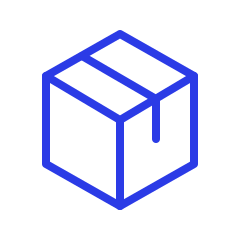
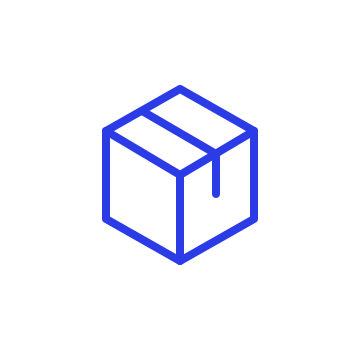
2 s float loop · transparent background · GIF longest edge 480 px
These fixed example files are available without signing in. Your own files use the account and plan requirements shown above.
Before you export
Animated SVG retains vector geometry and uses browser-native animation. Confirm that your destination supports animated SVG; some upload services strip its animation elements.
GIF is rendered at 480 px on its longest edge, with 256 colors. It uses binary transparency; a solid background produces smoother fades than a transparent dotted dissolve.
Effects apply to the artwork as a whole. This tool does not offer keyframe editing, character rigging, path morphing, Lottie, MP4 or React animation code.
Common questions
You can upload, adjust presets and preview without a paid plan. Downloading animated SVG or GIF requires Starter, Plus or Pro. Exporting does not use generation credits.
Load vector-only artwork, select a motion preset and choose GIF as the download format. The server renders the frames into a 480 px GIF. This is a preset animation of your artwork, not a conversion of an existing SVG timeline.
Draw follows existing stroked SVG paths. Filled shapes stay filled; the tool does not discover a drawing order or create outlines automatically. Use a stroked-path source or choose another effect.
No. The supported formats are animated SVG and GIF. Lottie is a different animation format and is not produced by this tool.
Use vector-only SVGs up to 400 KB and 1,500 elements, with an aspect ratio between 1:10 and 10:1. Live text, raster images and filters need to be resolved before animation. Existing scripts and animation instructions are removed during cleanup.